
Everything around the call, in one add-on.
CallCloud+ adds Sequences and the Virtual Salesfloor to either CallCloud plan. Reps work email, LinkedIn, and calls from the screen they already dial on, and the whole team is in the room while they do it.
Or start a free trialCallCloud | Dialing · Salesfloor on
Salesfloor · 4 on the floor
Priya just booked



Chris Allen
Director of Ops · Oakhollow Property
Up next · from Sequences
18 due today
- Queued
Dana Whitfield
Q4 Outbound · Call, step 2
- Approve
Marcus Kent
Founders · Email, step 4
- Mark done
Tom Reyes
Inbound follow up · LinkedIn


Channels in one sequence, one queue
Screen for calls, email, LinkedIn, and the team
Listen and whisper on every call
Teams dialing on CallCloud






Built around the call.
Most sales tools sit next to the dialer: a sequencer in one tab, a video call in another, a spreadsheet for the scoreboard. CallCloud+ is built into the dialer, so the call stays at the center of everything reps and managers do.
Every channel, one queue
Email, LinkedIn, and call steps feed the same queue reps already dial from. No copying tasks between tools.
Coaching where reps dial
Managers listen, whisper, and leave notes on the call without anyone switching apps.
The team, together
Reps see who is live, who is talking, and who just booked, right above their own call.
Sequences · Build
Email, LinkedIn, and calls in one sequence.
Add steps in any order, set the wait between them, and split test any step. Call steps land in the dialer queue, so reps work one list instead of two tools.
- Email, LinkedIn, and call steps
- A/B test any step
- Call steps drop into the dialer queue
Q4 Outbound | Sequence
- Day 1 · EmailA/B
Quick question about {{company}}
A31% openB44% open - Day 1 · CallIn dialer queue
Call step
- Day 3 · LinkedIn
Connection request
- Day 4 · EmailAuto send
Re: Quick question
- Day 6 · Call
Call step
- Day 8 · Email
Closing the loop
Sequences · Work
Your day, in one list.
Manual steps show up as tasks on Home. Approve every due email in one click, or let email steps send on their own. Every touch logs to your CRM the same way a call does.
- Tasks on Home with due times
- Approve all due emails in one click
- Every touch logged to your CRM
Home | Today
Today
18 tasks due · 12 emails ready
- Now
Dana Whitfield
Q4 Outbound · Step 4
ApproveEdit - NowMark done
Marcus Kent
Founders · Step 3
- 10:30 Dial
Lena Ortiz
Q4 Outbound · Step 2
- 11:00
Tom Reyes
Inbound follow up · Step 1
ApproveEdit
Call steps from every sequence land in the dialer queue. Email steps send themselves, or wait for one click.
Salesfloor · Dial together
A room that sits on the dialer.
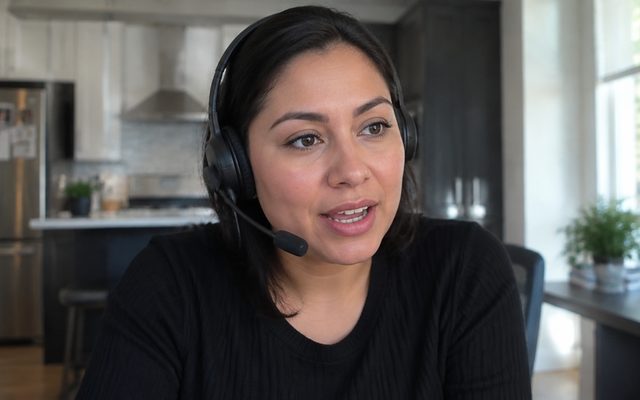
Reps join from the dialer and stay in the room while they work, camera on or off. The room steps back the moment a prospect answers, and comes back when the call ends.
- Video tiles above every call
- Live, talking, and booked states
- Quiet on its own when a prospect picks up
Virtual Salesfloor | 8 on the floor

Salesfloor · Coach live
Listen in. Whisper. Leave a note.
Managers listen to any live call, whisper coaching only the rep hears, and leave notes on the call afterwards. Reps can raise a hand without leaving the call.
- Listen to any live call
- Whisper only the rep hears
- Raise a hand and coaching notes
Manager view | Floor
Maya
On call 02:13
Jordan
Dialing
Sam
Hand raised
Priya
Dialing
Maya with Chris Allen
Director of Ops · Oakhollow Property
02:13
Coaching notes
Slow down on pricing, ask about their current dialer
Salesfloor · Compete
A leaderboard that updates live.
Dials, connects, and meetings for the whole team, updated as calls end, visible to everyone on the floor.
- Dials, connects, meetings
- Updates as calls end
- Visible to the whole floor
Leaderboard | Today
Meetings booked
22 today- 1Priya312416
- 2Maya298375
- 3Sam276334
- 4Jordan251293
- 5Leo240262
- 6Nina204222
[ 07 ] // Capabilities
Everything in CallCloud+.
Multichannel steps
Email, LinkedIn, and call steps in one sequence. Call steps drop into the dialer queue.
Multichannel steps
- EmailDay 1
- CallDay 1
- LinkedInDay 3
[ 08 ] // Compare
Three tools vs one add-on.
[ 09 ] // Pricing
Add it to either plan.
$40 per seat per month, month to month. Add it for the seats that need it and leave the rest on the base plan.
[ 10 ] // FAQ
Questions, answered.
What is CallCloud+?+
An add-on for either CallCloud plan that bundles Sequences and the Virtual Salesfloor. Sequences runs email, LinkedIn, and call steps from the dialer. The Virtual Salesfloor puts your team in a live video room on top of it, with listen and whisper for managers.
Which plans can add CallCloud+?+
Both: the Power Dialer and the Parallel Dialer. It is not part of the Chrome extension, which runs inside Salesloft, Outreach, and HubSpot rather than in the CallCloud dialer.
What is in Sequences?+
Multi-step outreach with email, LinkedIn, and call steps in any order, A/B tests on any step, rich email with attachments sent from your own Gmail inbox, templates and snippets, a task list on Home with one-click approval for due emails, open and click tracking, and CRM logging for every touch.
What is the Virtual Salesfloor?+
A live video room for your team that sits above the dialer. Reps dial together with cameras on or off. The room steps back the moment a prospect answers so nothing bleeds into the call. Managers listen to any live call, whisper coaching only the rep hears, and leave notes. Reps can raise a hand, and a leaderboard updates as calls end.
How much does it cost?+
$40 per seat per month on top of either plan, month to month. Add it for the seats that need it: $100 a seat with the Power Dialer, $165 with the Parallel Dialer.
How do I add CallCloud+?+
Book a demo or text the founder from any page and we switch it on for your team.
[ 11 ] // Add CallCloud+
Switch it on for your team.
Book a demo or text the founder from any page, and CallCloud+ is on for the seats you choose.
[ 12 ] // Start dialing
The zero lag parallel dialer.
Dial up to five prospects at once and connect the instant someone picks up.